
Handy screen capturing tool with editing capabilities
Massive photo editing tools like Photoshop are great, but some find them too heavy and complicated for everyday usage. In those cases, using a smaller app like PicPick Portable may be the right choice.
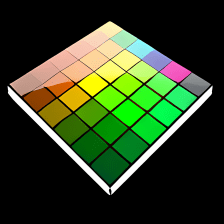
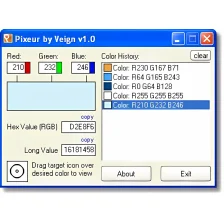
PicPick Portable is perfect for simple image editing tasks, such as brightness, contrast and color adjustment, grayscale, blur, pixelate and other special effects. The program includes various handy tools like a color picker, a magnifier and a pixel ruler. There's also a cool whiteboard feature which enables you to write and draw directly on the screen.
But PicPick Portable is not only an image editor: it's also a full featured screen capturing tool with which you can capture the image on your monitor in several ways: full screen, active window, user-defined area and more. Unfortunately, it doesn’t feature web capture mode like its desktop version.
PicPick Portable can work with several documents simultaneously and captures can be triggered with customizable keyboard shortcuts, which makes it even handier. You can also set it up to save captured images automatically, send them to another application, copy them to the Windows clipboard or uploading them to an FTP server. The only drawback I can think of is that the settings menu is way too hidden – I could only open it by going to Help > About.
All in all, PicPick Portable is a handy image capturing tool with image editing capabilities, perfect for everyday tasks.
Added Spanish (LatinAmerica) languageFixed: Portable version ini problem
Changes
Added Spanish (LatinAmerica) languageFixed: Portable version ini problem





.png)






















User reviews about PicPick Portable
by Anonymous
PicPick is the Pick of the Bunch.
PicPick is worth its weight in GOLD. It has quickly become one of my "take it with me everywhere" apps. It will do pretty much everything you need it to do, and much more besides.As for the claim the controls are too hidden. Nonsense : they are no more hidden than controls in WordPad or Microsoft Office. In fact, i'd go as far as to say : MS could learn some valuable lessons from the PicPick crew.
Pros:
Layout & functionality
Cons:
This App has the potential to be very useful for those wanting to create their own Web-Pages More